 Hot
Hot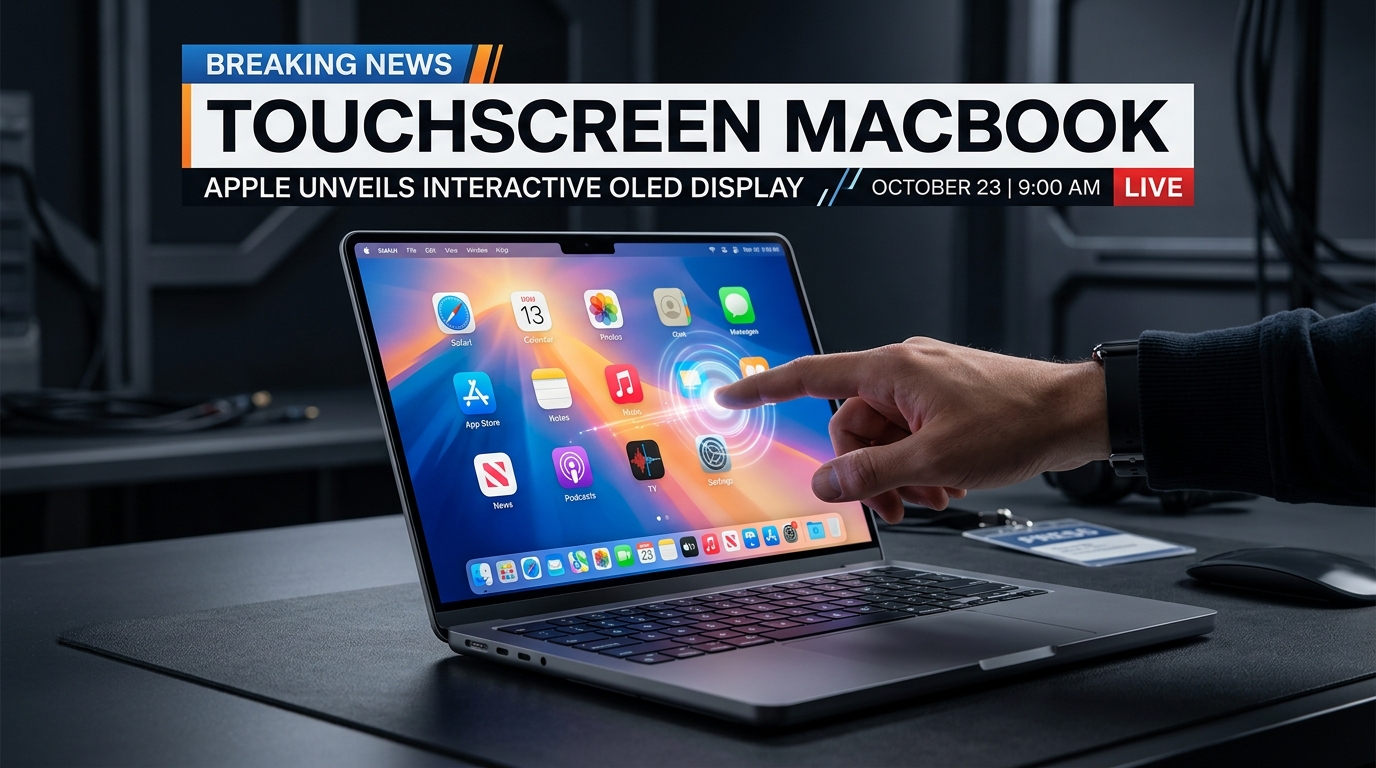
In a philosophical pivot that redraws the boundaries of consumer computing, Apple is finalizing plans to unveil its first-ever touchscreen MacBook Pro at an unannounced second October hardware event slated for Tuesday, October 27, 2026. According to reporting from Bloomberg, the Cupertino tech giant is preparing to introduce redesigned 14-inch and 16-inch MacBook Pro models outfitted with touch-sensitive OLED displays, Dynamic Island integration, and next-generation Apple Silicon, finally dismantling a dogmatic barrier the company spent nearly two decades defending.
The revelation follows hot on the heels of Apple’s upcoming October 13 “Welcome Home” smart home showcase with LG, signaling an aggressive autumn product cadence under chief executive Tim Cook and hardware engineering chief John Ternus. Alongside the touchscreen laptops, Apple is set to refresh the long-neglected iPad mini line with an OLED panel, landscape camera housing, and revamped acoustic chamber—setting up a fascinating internecine clash across Apple’s device portfolio.
Burying the ‘Gorilla Arm’: Why Cupertino Surrendered to the Glass
For sixteen years, Apple’s refusal to build a touchscreen laptop was treated as Holy Scripture. Back in October 2010, Steve Jobs famously derided touch laptops during the introduction of the MacBook Air, asserting that vertical touch interfaces cause severe muscle fatigue after short periods: “Touch surfaces don’t want to be vertical. It gives great demo, but after a short period of time you start to fatigue, and after an extended period of time your arm wants to fall off. It’s ergonomically terrible.”
Yet two simultaneous market pressures forced Cupertino’s leadership to abandon the ideological purism:
- The Multi-Device Generational Shift: A generation of digital natives reared on smartphones, iPads, and Chromebooks instinctively taps laptop displays. For users under 30, the lack of touch interaction on a $2,500 flagship notebook felt less like ergonomic elegance and more like an artificial hardware restriction.
- The Windows AI PC Counteroffensive: With Microsoft, ASUS, and Dell launching agentic AI-powered RTX Spark workstations with interactive OLED touch panels, Apple faced an enterprise market where competitors offered hybrid flexibility without sacrificing desktop power.
| Specification Dimension | Traditional MacBook Pro (M4) | Upcoming Touchscreen MacBook Pro (2026) |
|---|---|---|
| Display Technology | Liquid Retina XDR (Mini-LED) | Custom Ultra-Thin Tandem OLED |
| Input Modality | Magic Keyboard & Force Touch Trackpad | Full Multi-Touch, Stylus Support, Trackpad |
| Chassis Profile | 15.5mm (14-inch) / 16.8mm (16-inch) | Shaved Sub-14mm Featherweight Chassis |
| Display Cutout | Static Camera Notch | Interactive Dynamic Island with Face ID |
| Silicon Architecture | M4 Series (3nm) | M5 Pro / M5 Max with Advanced Neural Engines |
The iPad Pro Cannibalization Dilemma
By outfitting the MacBook Pro with an OLED touch surface, Apple inevitably triggers an existential identity crisis for its flagship tablets. For years, Apple marketed the $1,200 iPad Pro with the Magic Keyboard as the ultimate lightweight workstation, justifying iPadOS’s software constraints by insisting macOS belonged strictly behind a trackpad.
With full multi-touch capabilities now landing natively on macOS, high-end creative professionals will confront a stark calculation: why spend $1,800 on an iPad Pro with a restricted mobile operating system when an OLED MacBook Pro offers unrestricted UNIX terminal access, Xcode development, Pro Display calibration, and desktop-class file management? Industry analysts anticipate Apple will reposition the iPad Pro primarily as an Apple Pencil illustration canvas and modular media tablet, while positioning the touchscreen MacBook Pro as the definitive hybrid tool for software developers, video colorists, and enterprise power users.
(Responsive / Native Ad)
Software Ergonomics: Adapting macOS for Fingerprints Without Alienating Power Users
The greatest technical gamble does not lie in thin-glass engineering, but in interface physics. Desktop macOS has always depended on pixel-precise 16x16 cursor targets, dropdown menus, and microscopic window controls that are fundamentally hostile to human fingertips.
Insiders indicate Apple is implementing a dynamic touch-expansion layer within macOS:
- Proximity Hitboxes: UI elements subtly expand interactive touch targets whenever capacitive sensors detect an approaching hand.
- Dynamic Island Shortcuts: Relocating menu-bar widgets into an interactive hardware island at the top of the display provides rapid tap access to media controls, timer toggles, and system telemetry without obscuring active terminal windows.
- Stylus Annotation Protocol: Support for low-latency Apple Pencil markups directly within preview windows and Creative Cloud suites bridges desktop production with hand-drawn editing.
By finally embracing touch on the Mac, Apple closes the longest philosophical divide in modern consumer tech—conceding that in the modern AI workstation era, direct tactile manipulation beats rigid dogma every single time.